
2026-11-15
Dental lab scanner: how to choose a desktop scanner and AIDENT AI-S9 specs
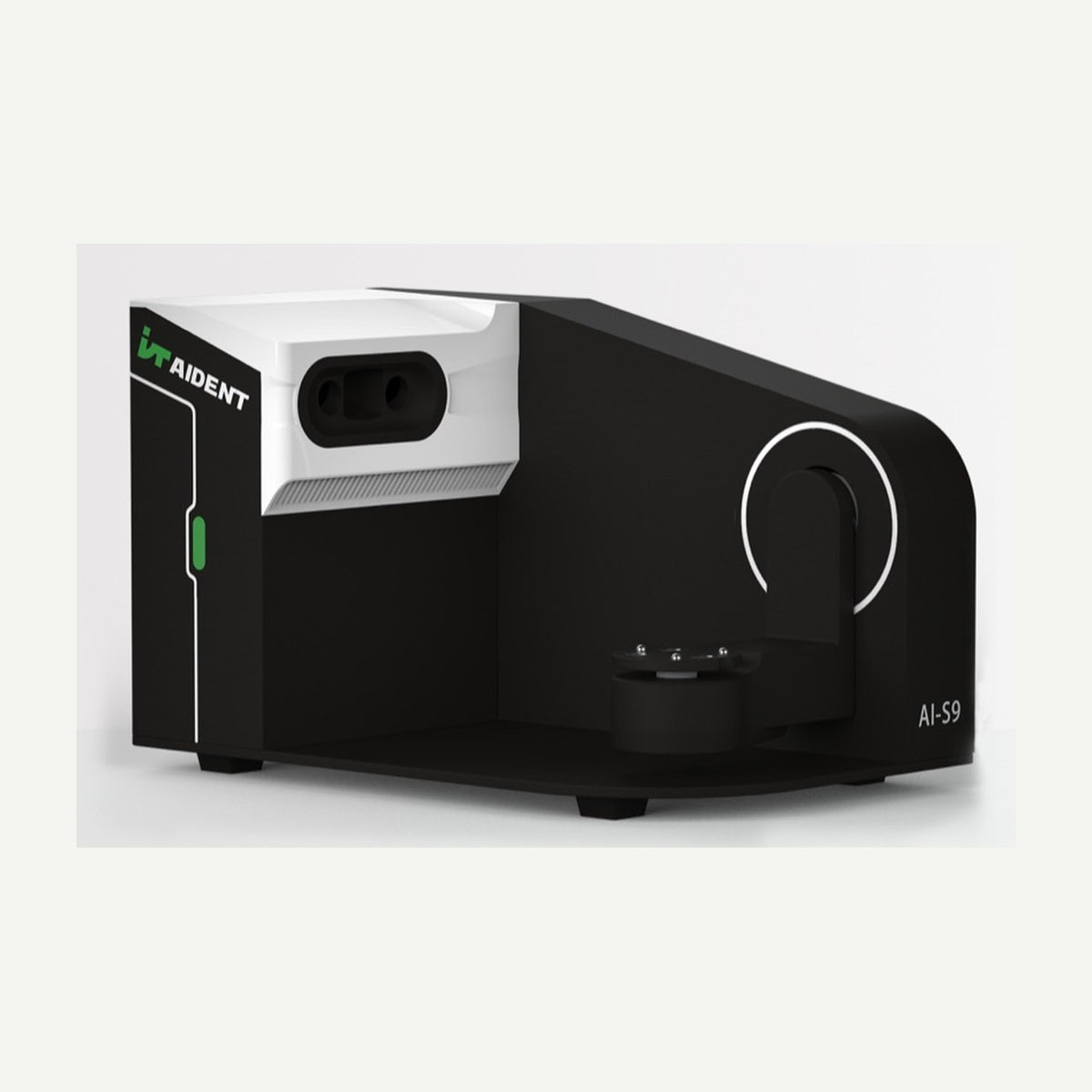
A desktop dental lab scanner is best chosen on three criteria: accuracy per ISO 12836, scanning speed and whether the system is open to Exocad and 3Shape. The AIDENT AI-S9 ticks all three: dual 5 MP cameras, ≤5 µm accuracy, a full jaw in 10 seconds and direct compatibility with Exocad and 3Shape. This article explains how to choose a dental laboratory scanner and what PC it needs.
What to check when choosing a dental lab scanner
- Accuracy. Multi-unit bridges, implant bars and full-arch frameworks need the smallest possible error – look for ISO 12836 data.
- Cameras and light source. Higher resolution and blue light reproduce margins and fine detail better.
- Speed. How long a jaw, a bite and an impression take determines how many cases you process per day.
- Open system. If you work in Exocad or 3Shape, the scanner should pass data directly, without conversion.
- Features: articulator transfer, impression scanning, colour texture, abutment and implant scanning.
AIDENT AI-S9 specifications
| Specification | AIDENT AI-S9 |
|---|---|
| Accuracy (ISO 12836) | ≤0.005 mm (5 µm) |
| Cameras | 2 × 5 MP |
| Light source | Blue light |
| Scan area | 96 × 82 × 60 mm |
| Texture | True-colour texture scanning |
| Scanning time | Bite 1 s, single jaw 10 s, impression 20 s |
| Software | Exocad and 3Shape; STL, PLY, OBJ export |
| Connection / power | USB 3.0 / DC 24 V |
| Dimensions / weight | 393 × 271 × 264 mm / 6.5 kg |
| Languages | Multi-language software |
Time-saving features
- Automatic occlusion matching for plaster models, bite registrations and wax.
- Articulator transfer – models are scanned in their articulator position.
- Double-layer impression scanning – no need to pour a model.
- Low-powder abutment and implant scanning with virtual abutment-hole compensation.
- 360° scanning with precise margin detection and narrow-gap completion.
PC requirements
| Recommended | Minimum | |
|---|---|---|
| CPU | Intel Core i7-13700 or higher | Intel Core i7-10700 or higher |
| RAM | 32 GB | 16 GB |
| GPU | NVIDIA RTX 2060 SUPER 8 GB or higher | NVIDIA GTX 1660 6 GB or higher |
| OS | Windows 10 64-bit or later | Windows 10 64-bit (Windows 7 not supported) |
What's in the box
Data and power cables, large articulator base plate, Blu-Tack, multi-die tray, articulator transfer tray, two scanning trays, spring clamp, impression jig, spacer block, calibration plate and accessory box. The shipment weighs about 13 kg.
Who the AI-S9 is for
- Labs producing multi-unit bridges, implant bars and full-arch frameworks.
- Labs working in Exocad or 3Shape that want an open file format.
- Labs that want to process impressions faster without pouring models.
Scanned cases can be milled or printed – see how to choose a 3D printer for a dental lab and zirconia sintering in the lab.
Frequently asked questions
Does the AI-S9 work with Exocad and 3Shape?
Yes, it is compatible with Exocad and 3Shape and also exports STL, PLY and OBJ files.
How long does a full jaw scan take?
According to the manufacturer, about 10 seconds; a bite takes 1 second and an impression 20 seconds.
Can it scan impressions?
Yes, including double-layer impressions.
Is scanning powder needed?
For most work, no. Shiny abutments or implant components need only a thin coat of powder, best applied with a brush.
What is the dental lab scanner price?
See the current price on the product page.
What warranty applies?
1 year. 3digital by IMMT, the official AIDENT representative, advises, helps with installation and provides service.
Summary
The AIDENT AI-S9 is an accurate (≤5 µm), fast and open desktop scanner for dental labs. Current price is on the product page; more about the manufacturer on the AIDENT page.